Before / after, undo / redo
Measuring the effect of a fix
Analysis > Before / after... (Ctrl+Shift+B) compares the domain with its reference point:
- by default, the state of the domain when it was opened or created;
- or the current state, after Analysis > Set the reference point here, just before starting a fix.
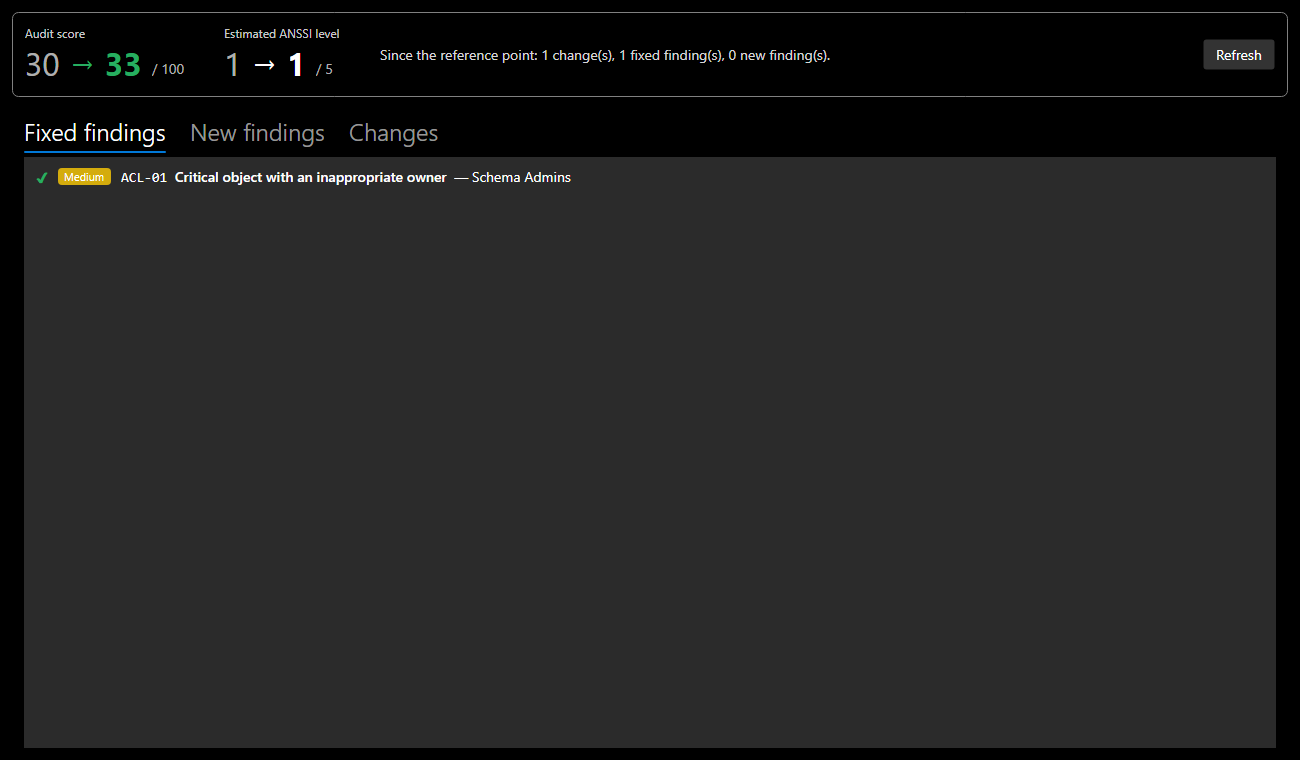
| Element | Content |
|---|---|
| Audit score | before → after, green when it improves, red when it drops |
| Estimated ANSSI level | before → after |
| Fixed findings | present at the reference point, gone since |
| New findings | appeared since: a fix can create another one |
| Changes | objects added, removed or modified, with the changed fields |
Screenshot: in the documentation demo, giving the Schema Admins group back to Domain Admins fixes finding ACL-01, and the score goes from 55 to 58.
A fix can bring up a finding
Always check the New findings tab: fixing an object can move the problem elsewhere. An account removed from a protected group keeps adminCount = 1, for example, and the audit reports it as an orphaned adminCount: in a real AD, SDProp does not reset this attribute.
Refresh runs the comparison again after further changes, without closing the window.
Undo and redo
| Action | Shortcut |
|---|---|
| Undo | Ctrl+Z (Edit > Undo) |
| Redo | Ctrl+Y or Ctrl+Shift+Z (Edit > Redo) |
- History keeps up to 100 states. Each state is a full copy of the domain, so no change escapes undo.
- A change made in the details panel is recorded when the selection changes, or when you undo.
- The tree's selection and expanded nodes are kept, even when undoing a rename.
- History starts over when a file is opened or a domain is created.