Configuration of the domain
The configuration of HGPM is the one of the domain, the same for every console of the domain:
- Only the administrators of the domain can write it: SYSVOL lets Authenticated Users read it and the administrators write it, so a technician cannot give itself another configuration.
- There is no configuration of the user, and no local file says where it is: the console reads it from the domain controller it reads the domain from.
- It is created at the first start of the console by an administrator of the domain, empty:
every setting has its default. It then holds only the settings it changes; the others keep the
default of the module (
Resources/Configuration.psd1, every setting commented). - The console knows an administrator of the domain by its groups (tokenGroups): Domain Admins or Enterprise Admins, found by their SID whatever their name in the language of the domain controller, or Administrators.
- It is read as data (
Import-PowerShellDataFile), never run. A file that cannot be read or holds a wrong value is reported, and the defaults apply.
@{
    NewGpo = @{
        Status = 'ComputerOnly'
        SecurityFilteringGroups = @{ Create = $true; Container = 'OU=GPO,OU=Groups' }
    }
    Workflow = @{ Enabled = $true; Creators = 'GPO-Tier1-Admins, GPO-Tier2-Admins' }
}
Every setting is described in the configuration reference.
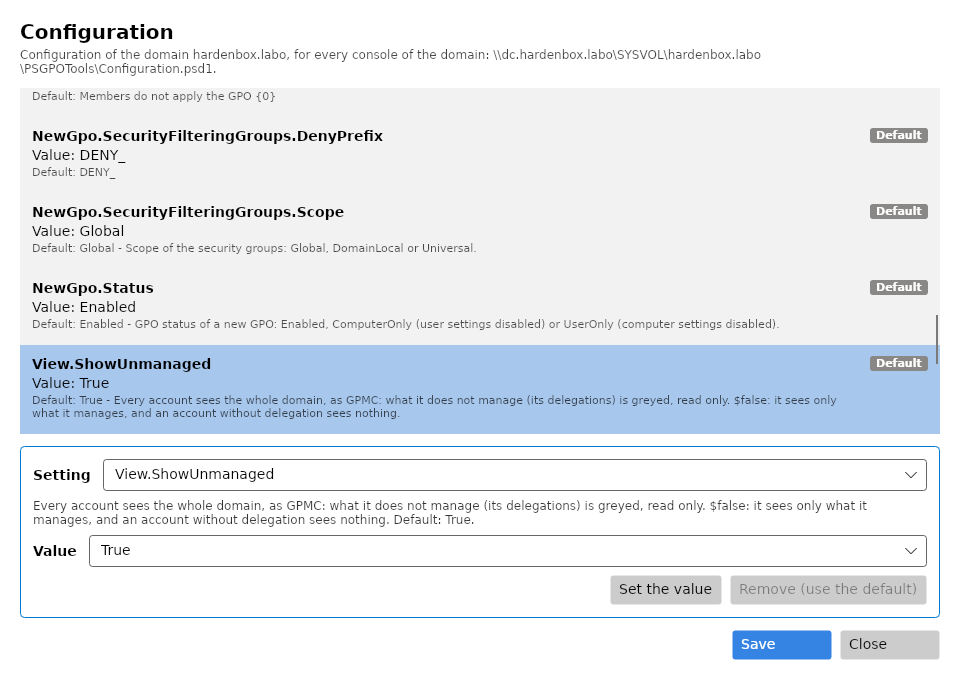
The Settings window
Settings in the toolbar lists every setting with its value, its default and where the value comes from. Choose a setting, give its value, Set the value, or Remove it to use its default; Save writes the file. A value is checked with the others before it is kept.
Settings is for the administrators of the domain: it is greyed for any other account (its tool tip says why), without a domain, and for a directory that cannot be written.
When it is read
With the domain (Get-PSGPODirectory), when the window or the Settings window opens, and by each
command given a directory. Get-PSGPOConfiguration shows where it comes from: