The console
Show-GPOManagerAvalonia opens one window with three views, switched from its toolbar.
Group Policy Management
The view it opens on, as GPMC:
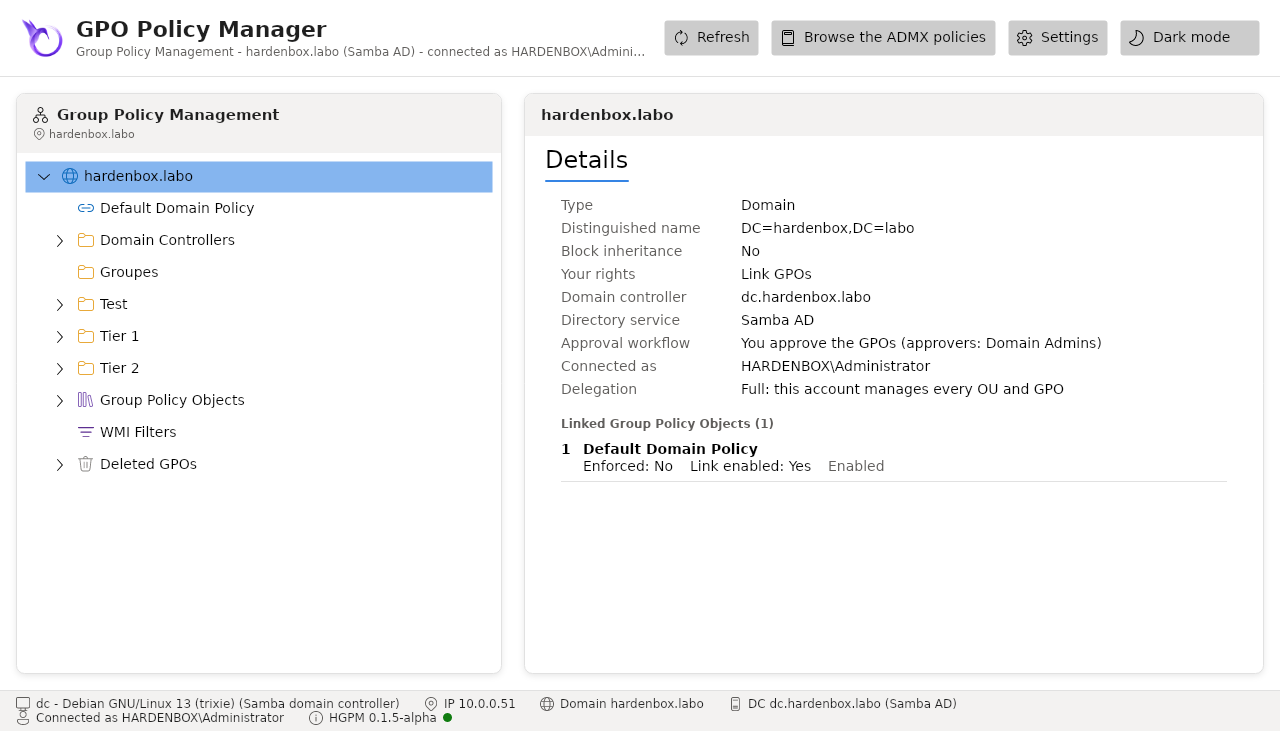
- The domain and its OUs, sorted by name, each with its GPO links by link order (link order 1 first, the highest precedence). An OU that blocks inheritance says so, and has its own icon. A link says when it is enforced or disabled.
- Group Policy Objects: every GPO of the domain your account can see.
- WMI Filters: the WMI filters of the domain (WMI filters).
- Starter GPOs: the Starter GPOs of the domain, read when the node is selected (Starter GPOs).
- Deleted GPOs: the GPOs deleted from the domain that have a backup, to restore them (recycle bin).
- Sites, beside the domain: the sites of the forest and their links, read only (sites).
The details of a node depend on what it is:
| Node | Details |
|---|---|
| Domain | distinguished name, domain controller and directory service, the account connected, its delegation, its role in the approval workflow, the GPOs linked |
| OU | distinguished name, block inheritance, your rights there, the GPOs linked |
| GPO, link | unique ID, status, approval state and owner, your rights, security filtering, WMI filter, the client-side extensions the console does not interpret, versions, distinguished name, SYSVOL path, every link of the GPO, its comment |
| WMI filter | description, queries, the GPOs using it, unique ID, distinguished name |
| Deleted GPO | its last backup, by whom, its comment, status, security filtering, where it was linked |
| Starter GPO | type (System or Custom), author, description, the settings of each part, unique ID, folder |
| Site | distinguished name, your rights (read only), the GPOs linked |
A GPO also has two tabs:
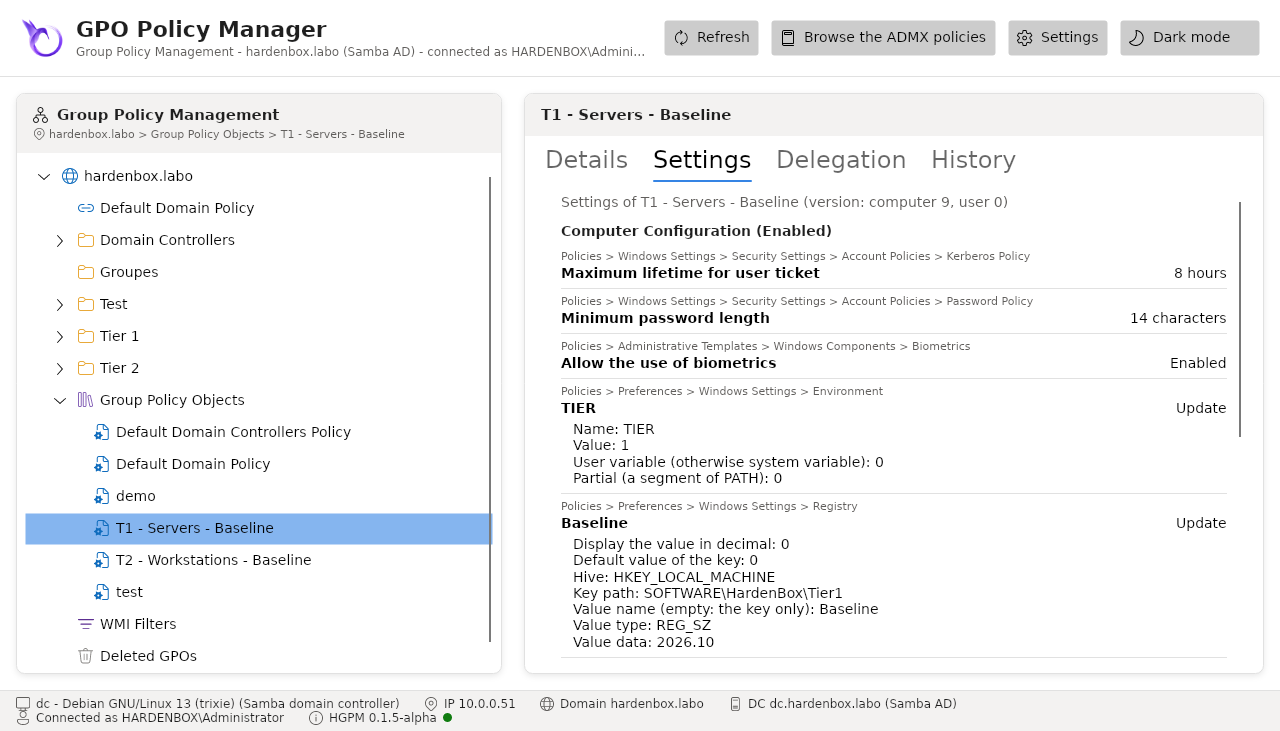
- Settings: its configured settings, as the GPMC report: the scripts, the security settings,
the policies by category path, the preferences, the extra registry values no ADMX explains. Below
them, in a box of their own, the settings the console does not interpret: a client-side
extension whose settings it does not read (Folder Redirection, Software Installation...), a file
of the GPO none of its readers reads. The computers apply them all the same: review them with
GPMC, or in the files of the GPO, before approving it (hardening).
Save report..., in this tab or in the context menu of a GPO, writes the report of the GPO as
an HTML page, in the language of the interface, as GPMC saves one (
Get-PSGPOReport). - History: its backups as a timeline (backups and history).
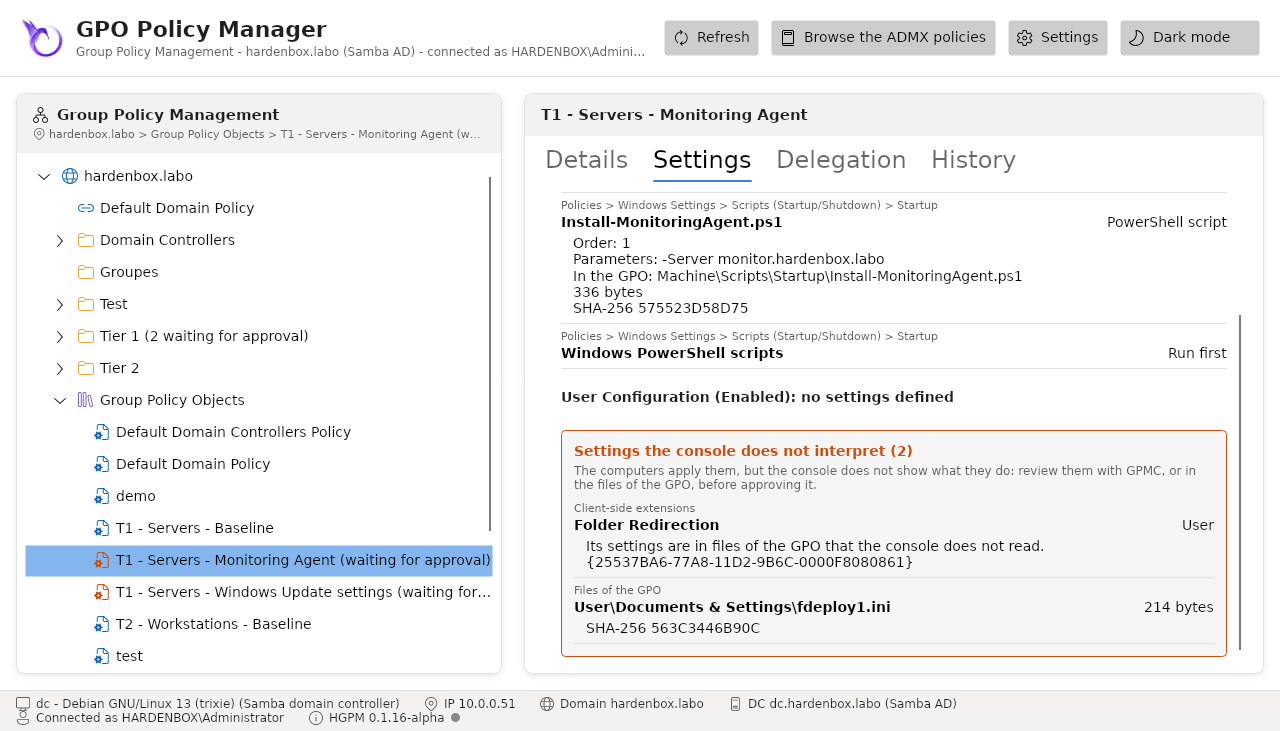
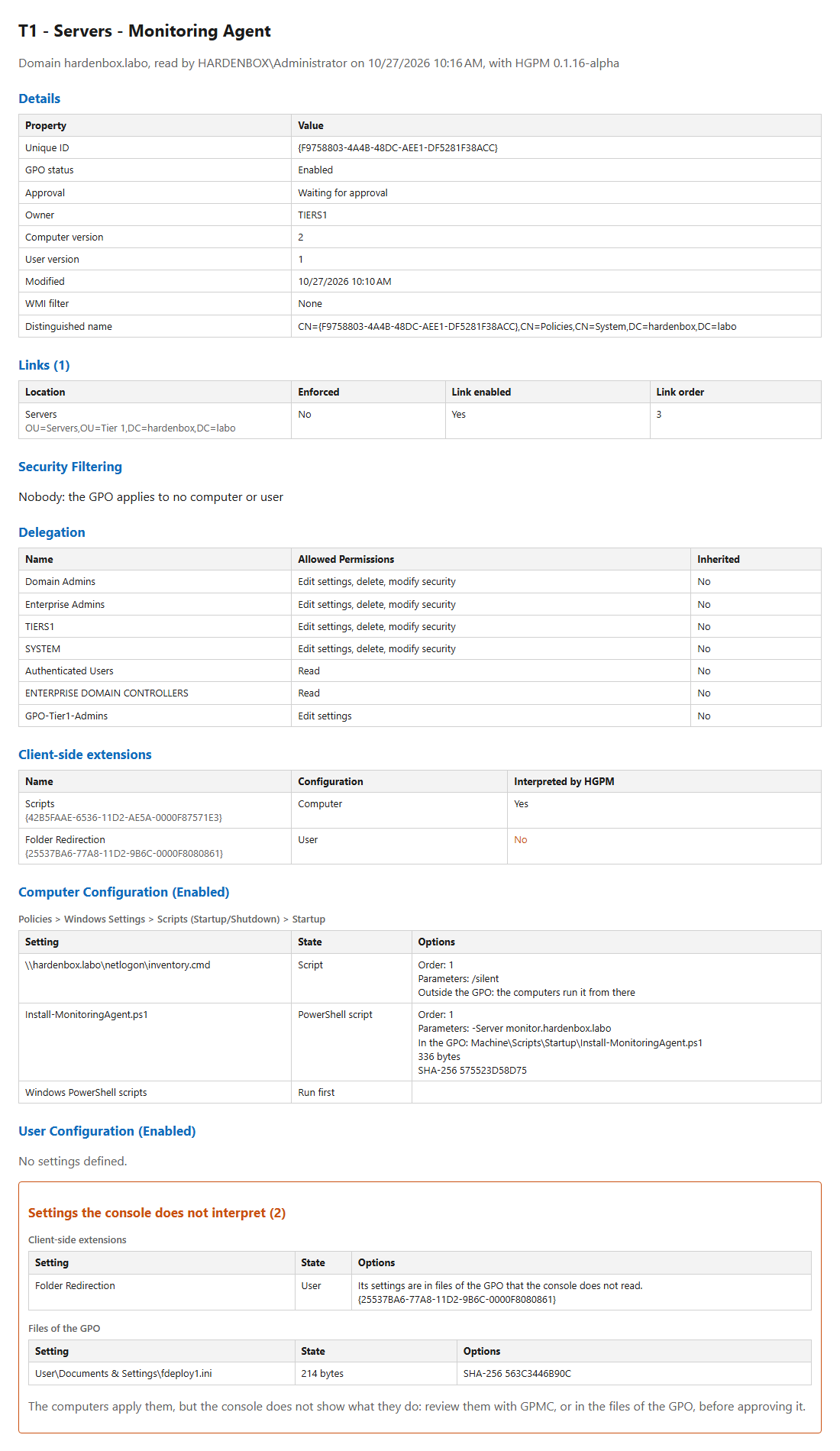
A pending GPO of Tier 1 with a startup script, and Folder Redirection, which the console does not interpret:
The report saved by Save report... (or Get-PSGPOReport -ReportType Html):
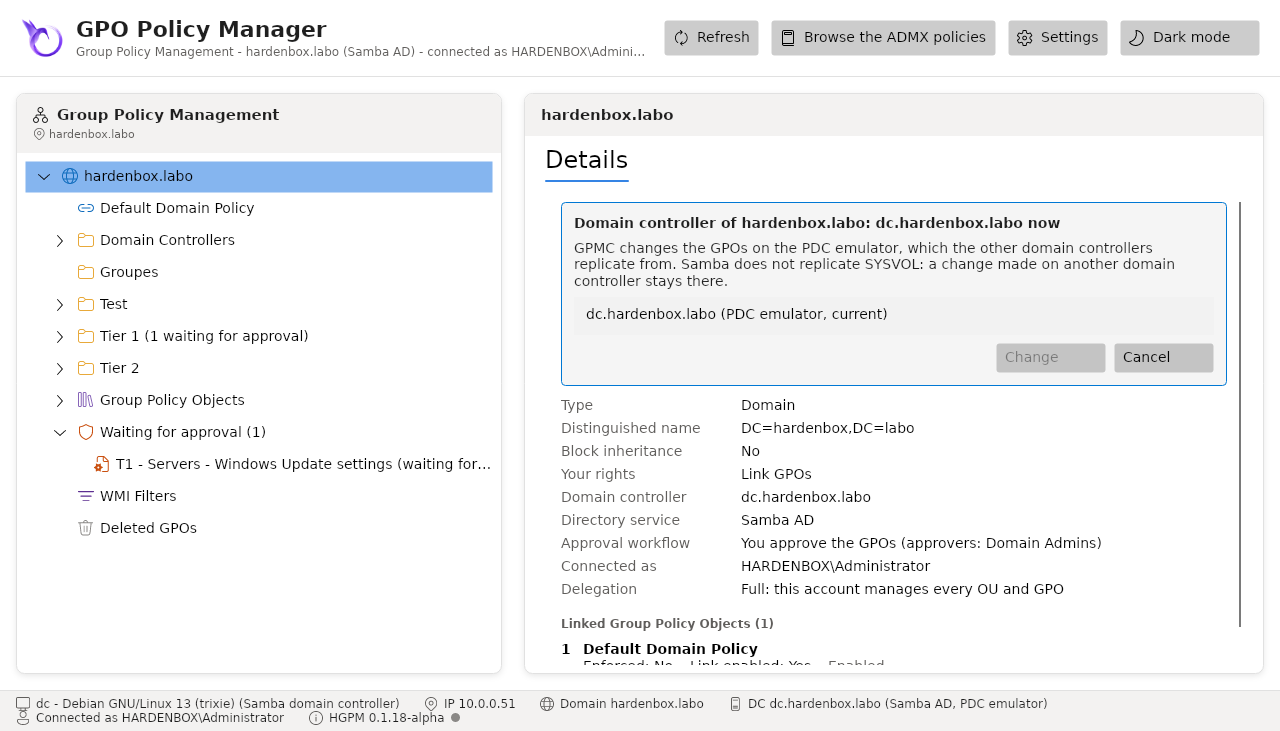
Refresh (or F5) reads the domain again, from the same domain controller with the same account, as GPMC does: the changes of the other consoles and of GPMC show, the tree keeping what is expanded and selected. The console reads the domain once otherwise; a GPO changed since it was read is not written over (policy editor): refresh, then make the change again.
As GPMC, the domain is read from its PDC emulator, where the changes go. Change Domain Controller... (right click on the domain) lists the domain controllers of the domain, the PDC emulator first, and reads the domain again from the one chosen; the status bar says when it is not the PDC emulator. The details of a GPO show its versions in the directory and in SYSVOL (User version: 2 (AD), 2 (SYSVOL)), and say when they differ: the computers apply SYSVOL (hardening).
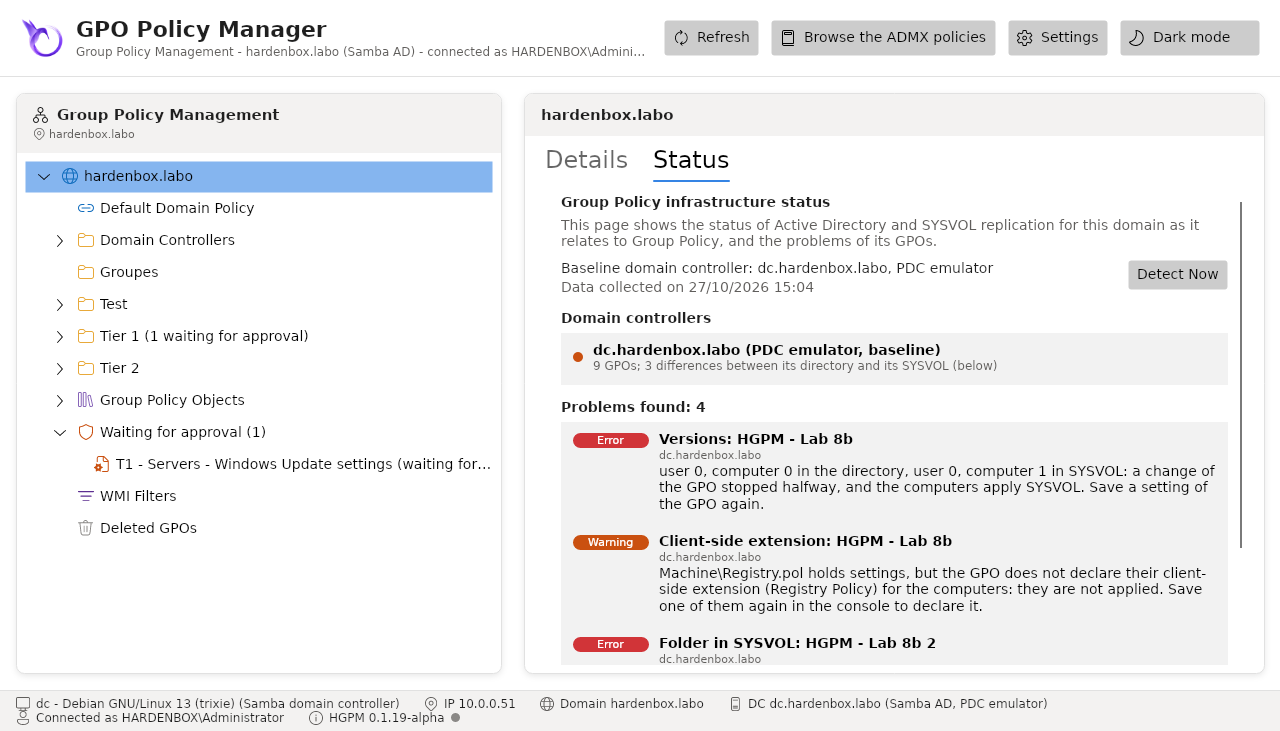
The Status tab of the domain shows, as the one of GPMC (Group Policy Infrastructure Status),
whether the domain controllers agree: Detect Now reads the GPOs of each domain controller, in
its directory and in its SYSVOL, and compares them to the baseline, the domain controller the
console reads (its PDC emulator). It lists the domain controllers, in sync or with a
replication in progress, and the problems of the GPOs: a GPO without its folder or its
GPT.INI, versions that differ between the directory and SYSVOL, a file of settings whose
client-side extension the GPO does not declare, a folder of SYSVOL without a GPO, a link to a GPO
that does not exist. Test-PSGPOHealth and Get-PSGPOReplicationStatus give the same in
PowerShell (hardening).
Policy editor
Edit (right click, or double click on a GPO) opens the GPO in the policy editor: the administrative templates, the security settings and the preferences, read from the GPO and saved there.
ADMX browser
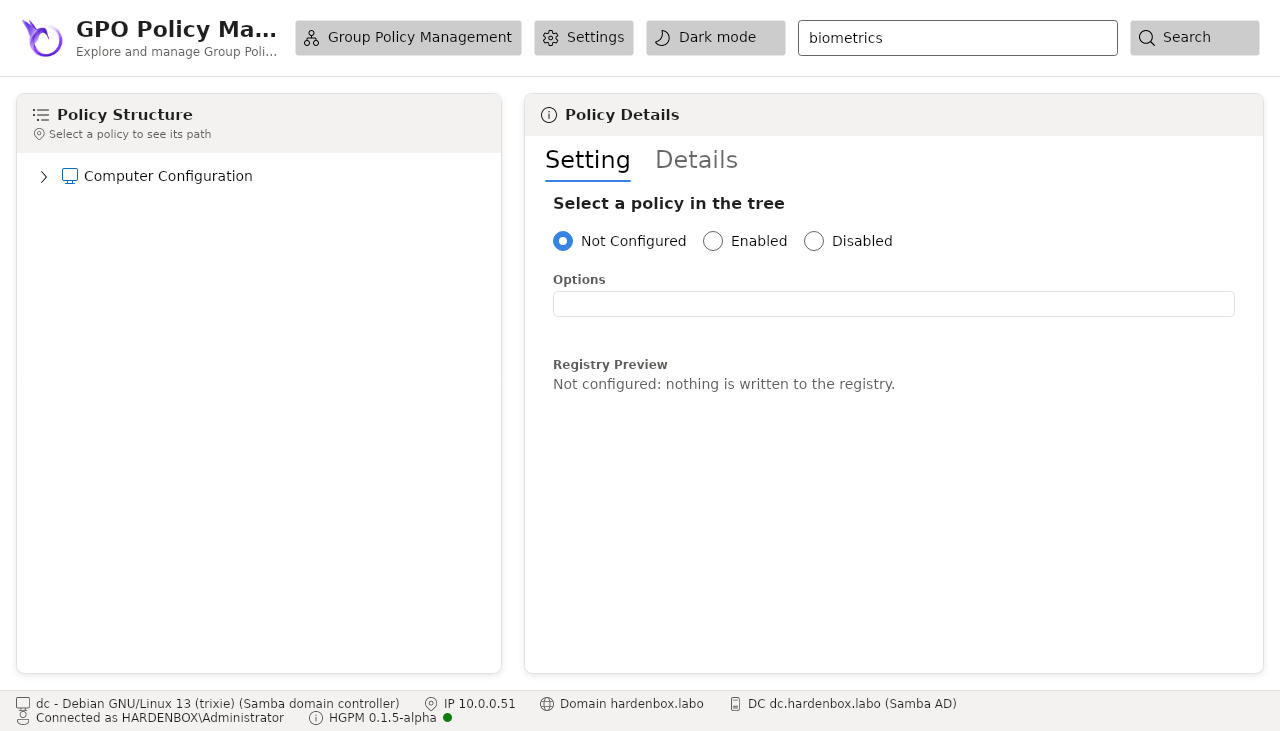
Browse the ADMX policies shows the policies of the ADMX files loaded, without a GPO: search a
policy by its name, read its explanation and the registry value it sets, copy its name, its
registry path or the Get-ItemProperty command that reads it.
The status bar
At the bottom: this computer (name, system, addresses), its domain, the domain controller the
directory was read from, its directory service (Samba AD or Active Directory) and whether it is
the PDC emulator, the account connected, and the version of HGPM with a dot:
- green: the latest version of the PowerShell Gallery;
- orange: a newer version is on the Gallery (
HGPM 0.2.0: 0.2.1 available); its tooltip gives the command that installs it (Update-PSResource -Name HGPM, orInstall-PSResourcefor a module not installed from the Gallery, a checkout of the repository for instance), then open a new PowerShell session; - grey: the Gallery was not read (no network, or the check is off), the updates are unknown.

The Gallery is read as at the import of the module (see Updates):
at most once a day, 8 seconds at most: a version published since the last check shows the next
day, or at once after deleting UpdateCheck.json from the local data folder of the user
(~/.local/share/PSGPOTools on Linux, %LOCALAPPDATA%\PSGPOTools on Windows). The console of the
password settings has the same status bar.
Themes and settings
The toolbar switches between the light and dark themes, and opens the Settings window: the configuration of the domain.
Language
The console is in the language of the PowerShell session: French on a French system, English
otherwise, and -Language chooses it. The texts come from Resources/Strings/<language>.psd1
of the module (fr-FR.psd1, with the words of the French GPMC); a text it does not translate
stays in English. The names of the security settings, of the preferences and the descriptions of
the configuration come from Resources/Strings/Catalogs/<language>.psd1, with the names of the
French Group Policy editor; the Settings and History tabs show their reports in the same language.
The commands, their messages and their errors stay in English, as those of PowerShell, and so do
their reports (Compare-PSGPOBackup, Get-PSGPODrift).
Show-GPOManagerAvalonia -Language fr-FR
Show-GPOManagerAvalonia -Language en-US   # in English on a French system
Demonstration environment
Without a domain, the window shows Samples/Directory.sample.json under a banner: a fictitious
domain with OUs, links and GPOs, to discover the console. Its changes stay in memory.