Delegation: what the account manages
Every account sees the whole domain, as in GPMC; the console offers each one only what it manages, from the delegations of the domain and the Kerberos ticket it uses: role-based access built on the permissions that already exist, with nothing to configure in the console.
How the rights are read
The directory computes them for the account connected:
| Right | Read from | Gives |
|---|---|---|
| Link GPOs to a domain or an OU | allowedAttributesEffective of the domain / OU holds gPLink |
the OU is not greyed; create and link, link, delete a link, Block Inheritance |
| Edit a GPO | allowedAttributesEffective of its container holds versionNumber |
the GPO is not greyed; Edit, Apply, restore, delete |
| Create GPOs | allowedChildClassesEffective of CN=Policies holds groupPolicyContainer |
New GPO |
| Create WMI filters | allowedChildClassesEffective of CN=SOM,CN=WMIPolicy,CN=System holds msWMI-Som |
New WMI Filter |
| Change a WMI filter | allowedAttributesEffective of the filter holds msWMI-Parm2 |
Edit WMI filter, Delete WMI filter |
The account is the one the directory answers to "Who am I?" (RFC 4532): the console shows it in its title, the details of the domain and the status bar.
What a technician sees
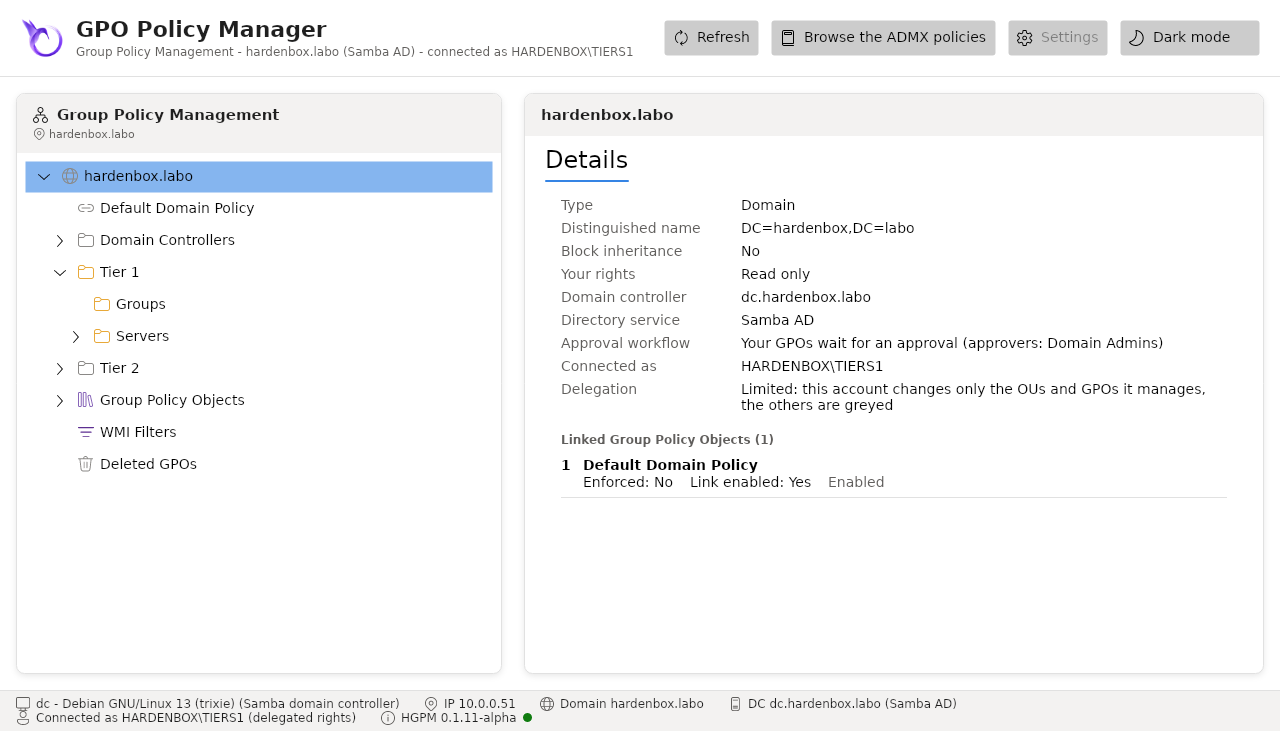
- every OU, link and GPO of the domain, as GPMC shows them;
- the OUs where it links GPOs and the GPOs it edits as usual, the others greyed: it reads them (details, links, settings, delegation, history) and changes nothing there;
- only the actions it may take, in the context menu.
The details of the domain say whether the delegation is full (the account manages every OU and GPO), limited, or none.
# The same console, as the Tier 1 technician
kinit tiers1@HARDENBOX.LABO
pwsh -c 'Show-GPOManagerAvalonia -Server dc.hardenbox.labo'
Several tickets
kinit replaces the ticket of the default cache. To keep the Tier 0 one in another terminal,
give each terminal its own cache: export KRB5CCNAME=FILE:/tmp/krb5cc_tier1 before kinit.
An account without delegation
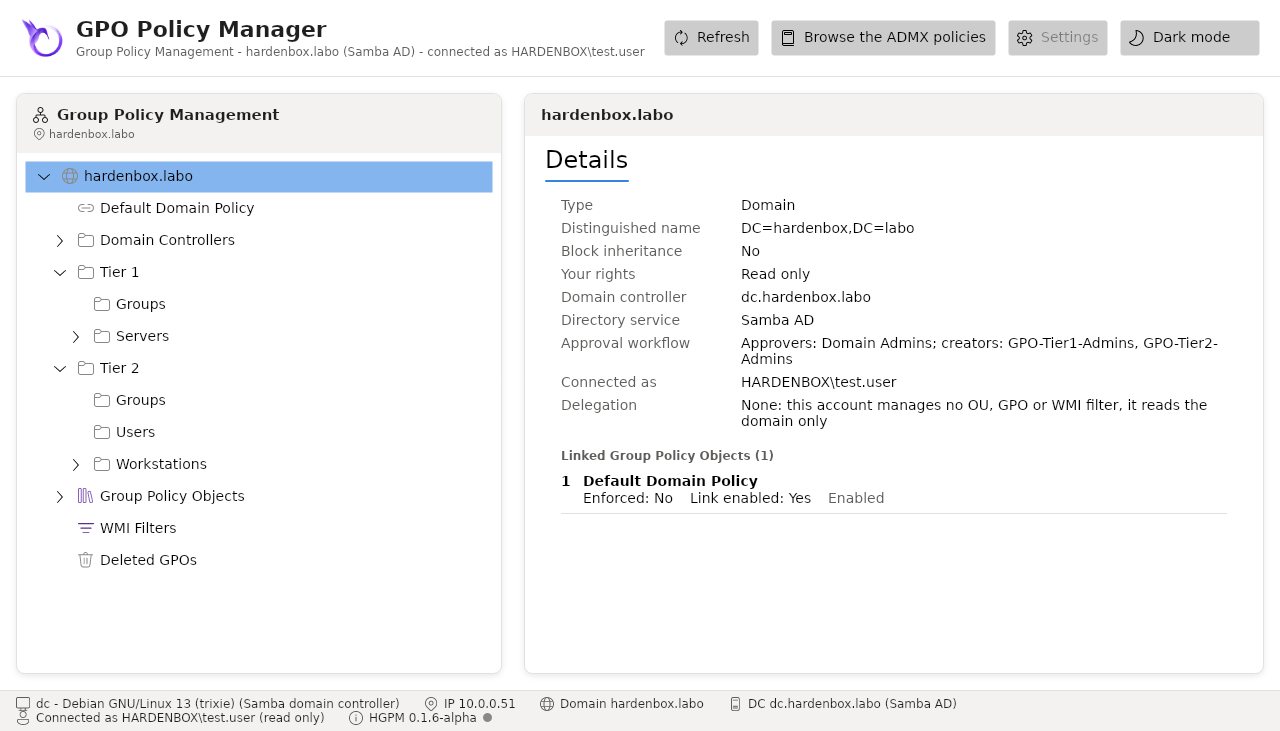
An account the domain gives no delegation, a user of Domain Users for instance, reads the whole domain: everything is greyed, the context menus offer nothing, Settings is greyed, and the status bar says (read only). The details of the domain say Delegation: None.
Show only what the account manages
The administrators of the domain choose it in the configuration of the domain:
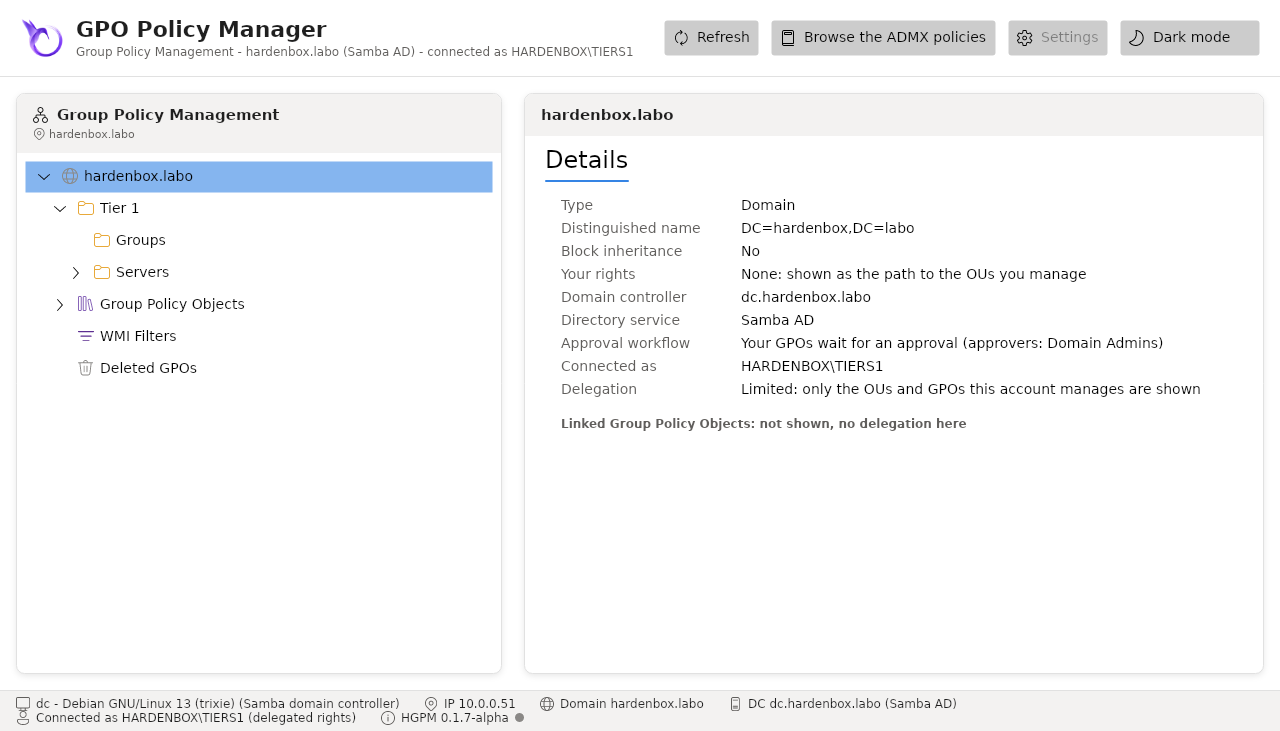
with View.ShowUnmanaged set to $false (Settings, or Configuration.psd1), each account
sees only what it manages: the OUs where it links GPOs, their parents greyed as the path to
them, without their links, and the GPOs it edits or that are linked to its OUs. An account without
delegation then sees nothing; the details of the domain say so, and the status bar. The default,
$true, is the view above. The console builds its tree again once the setting is saved.
The rights are those of the domain
The console never decides alone: a change the account may not make is refused by the domain controller, and the console says so. The menus only spare a technician the actions it would be refused. The approval workflow builds on the same principle.